Free beta · iPhone & Android
Training, food & coaching.
The whole thing.
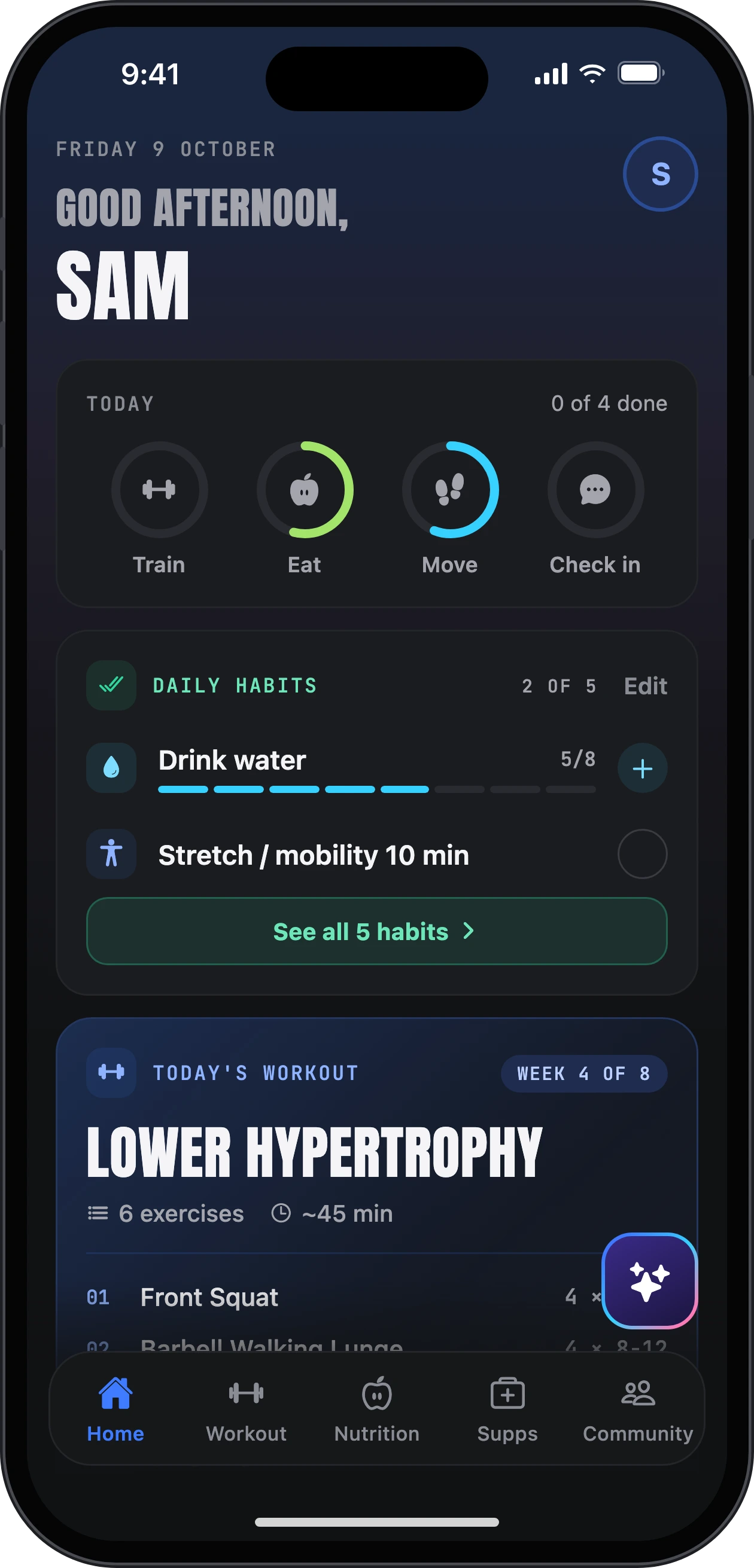
Open the app and know exactly what to do today: your session, your calories and macros, your habits. Odin, the AI coach built in, answers anything along the way.
- Free during the beta
- No card needed
- Set up in about 2 minutes
- Training
- Nutrition
- Habits & steps
- Supplements
- Progress
- Community
- Odin AI coach
How it works
Three steps.
Then just train.
- 01
Sign up
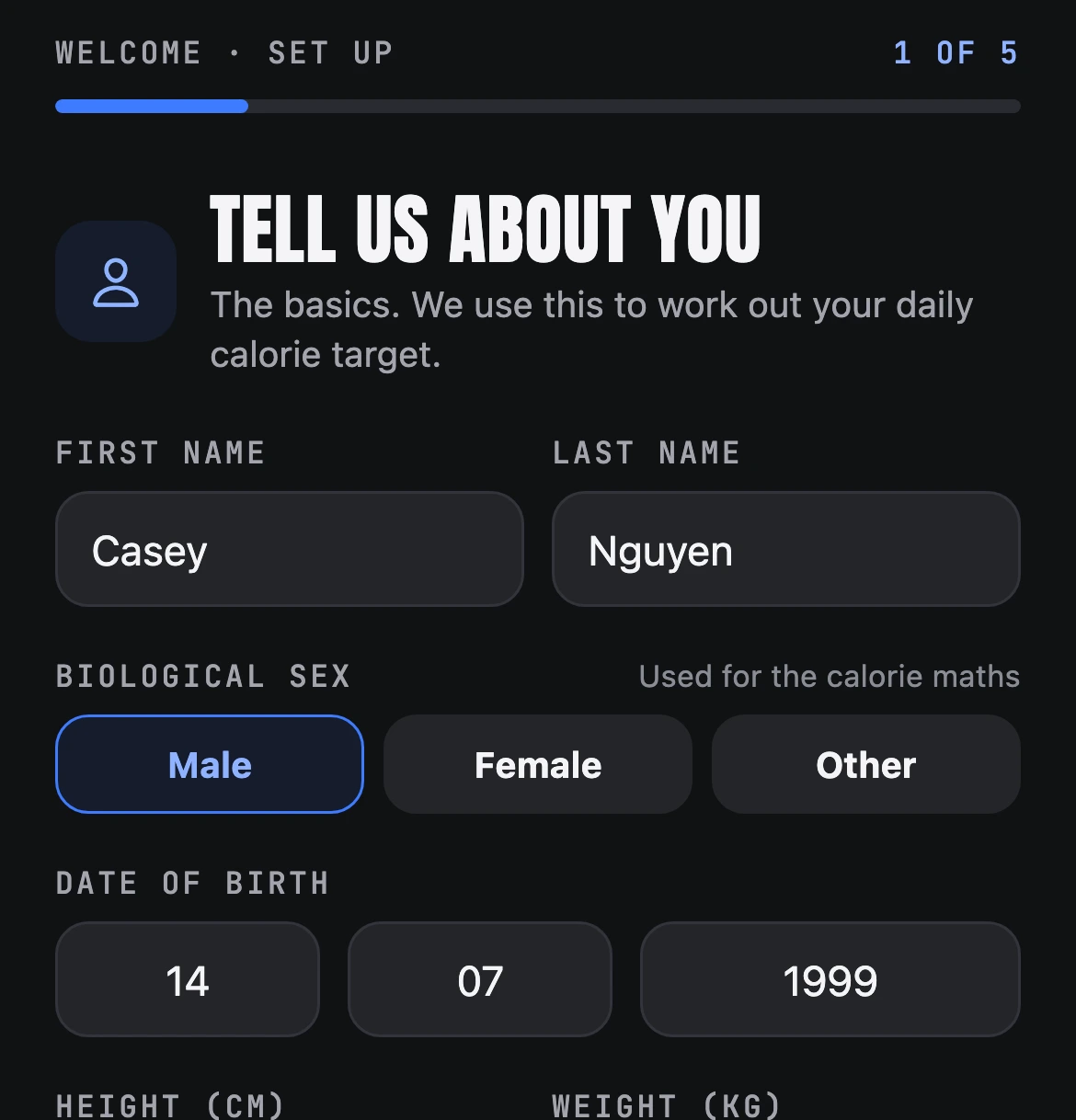
Open the invite link, create your account and answer a five-step questionnaire, about two minutes. It sets your starting calories and macros.
- 02
Get a program
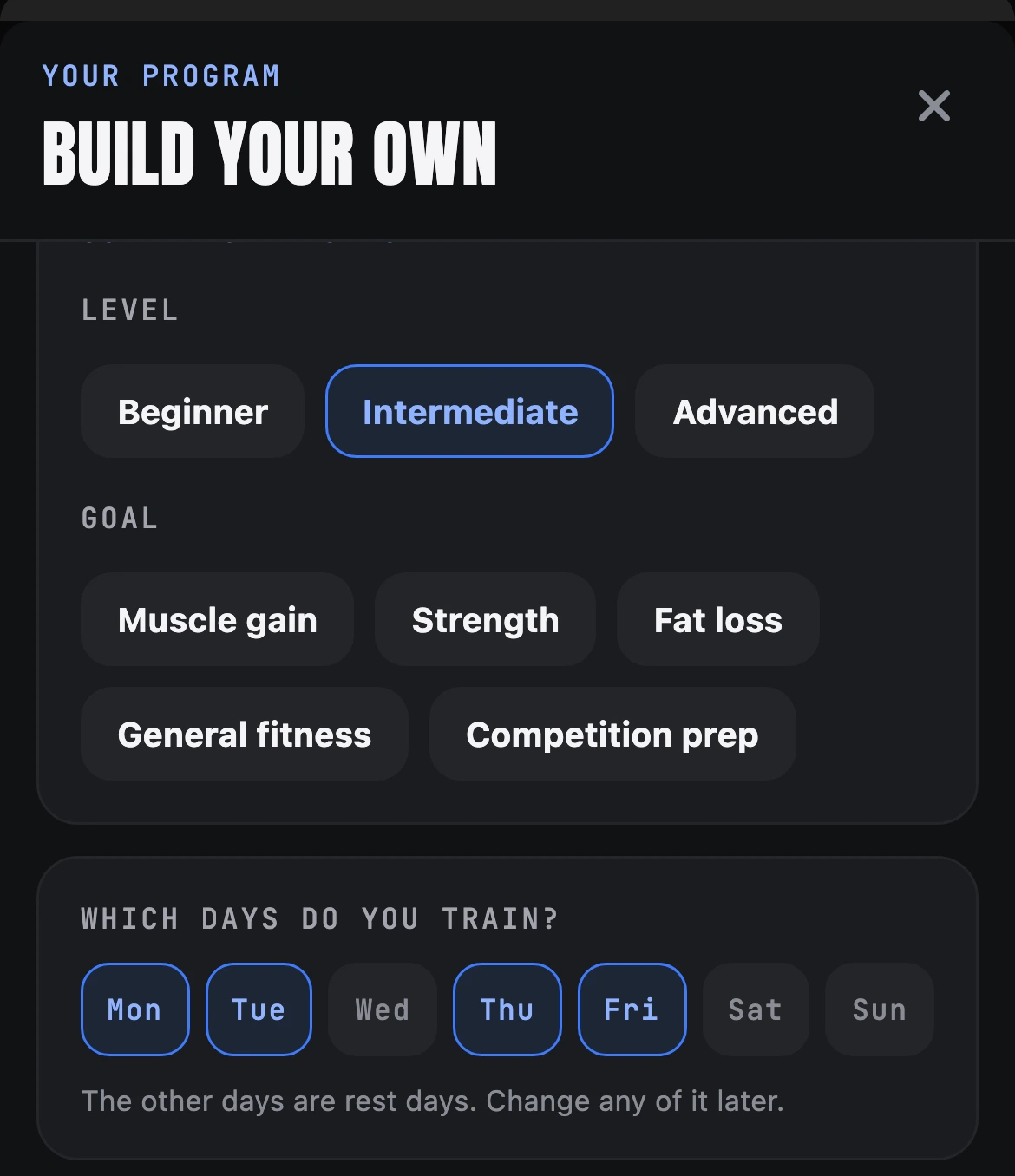
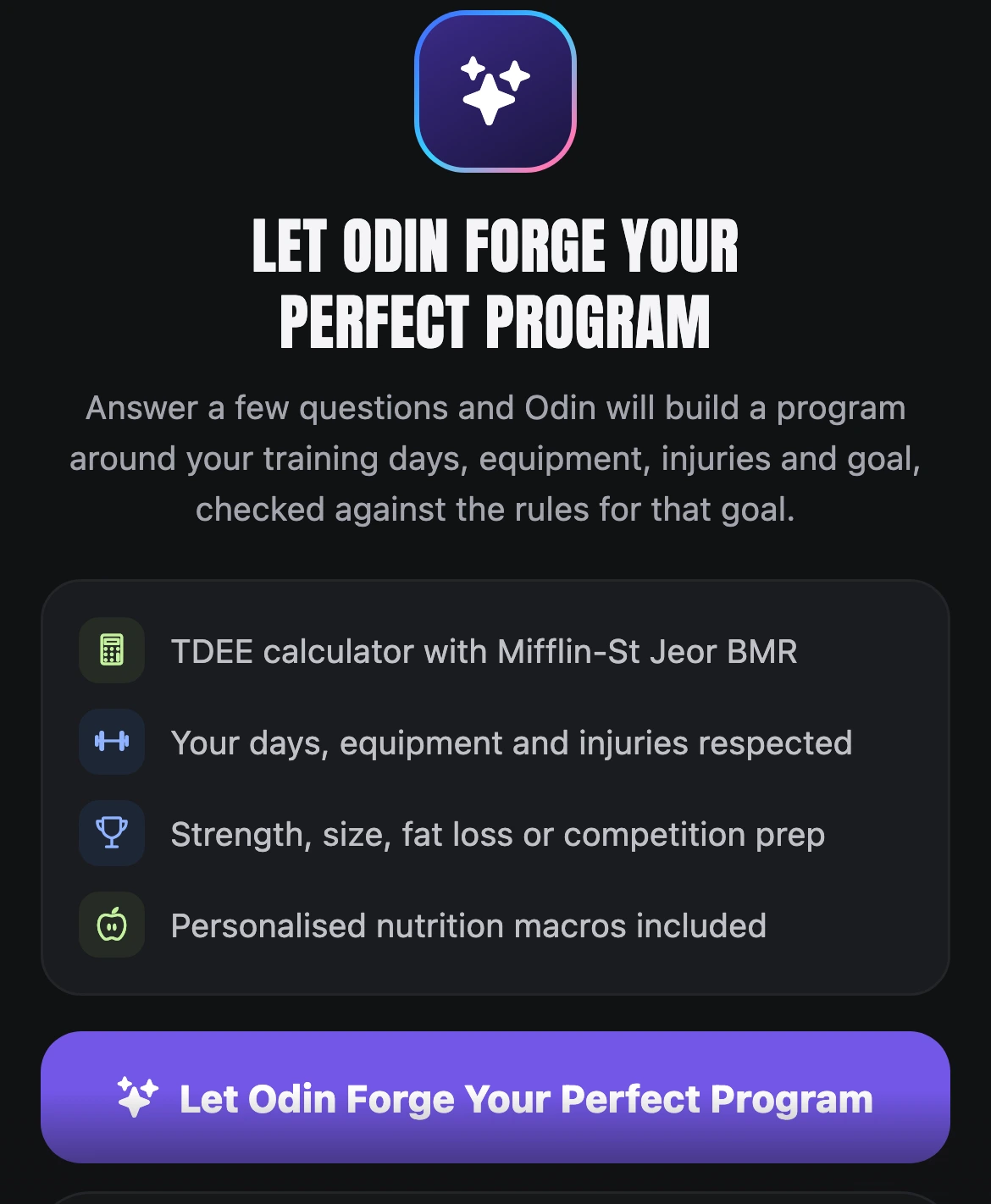
Build your own, let Odin build one around your days, equipment and goal, or pick one of 35+ programs from the Workout Library.
- 03
Track everything
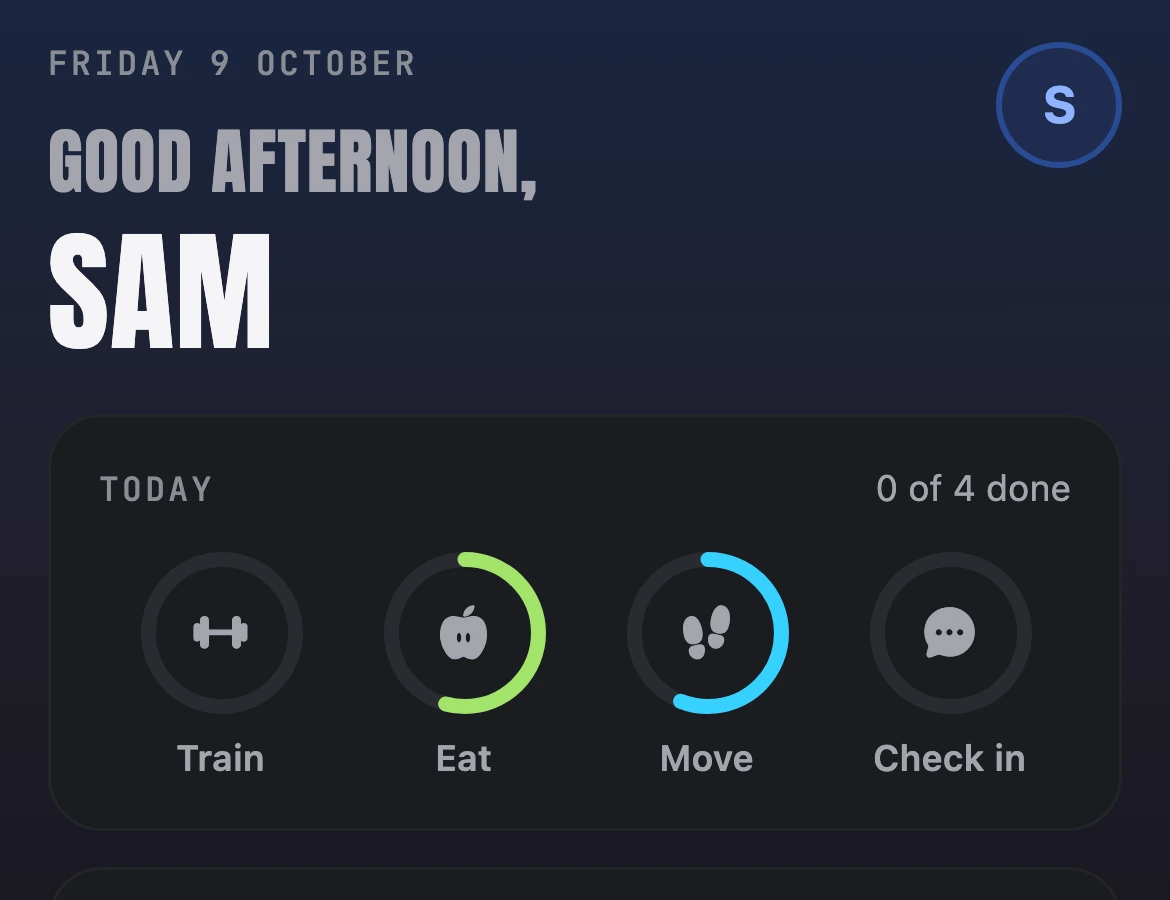
Sessions, food, steps, habits, weight and supplements. Home shows what is left to do today.
Three ways to get a program

Build your own

Ask Odin
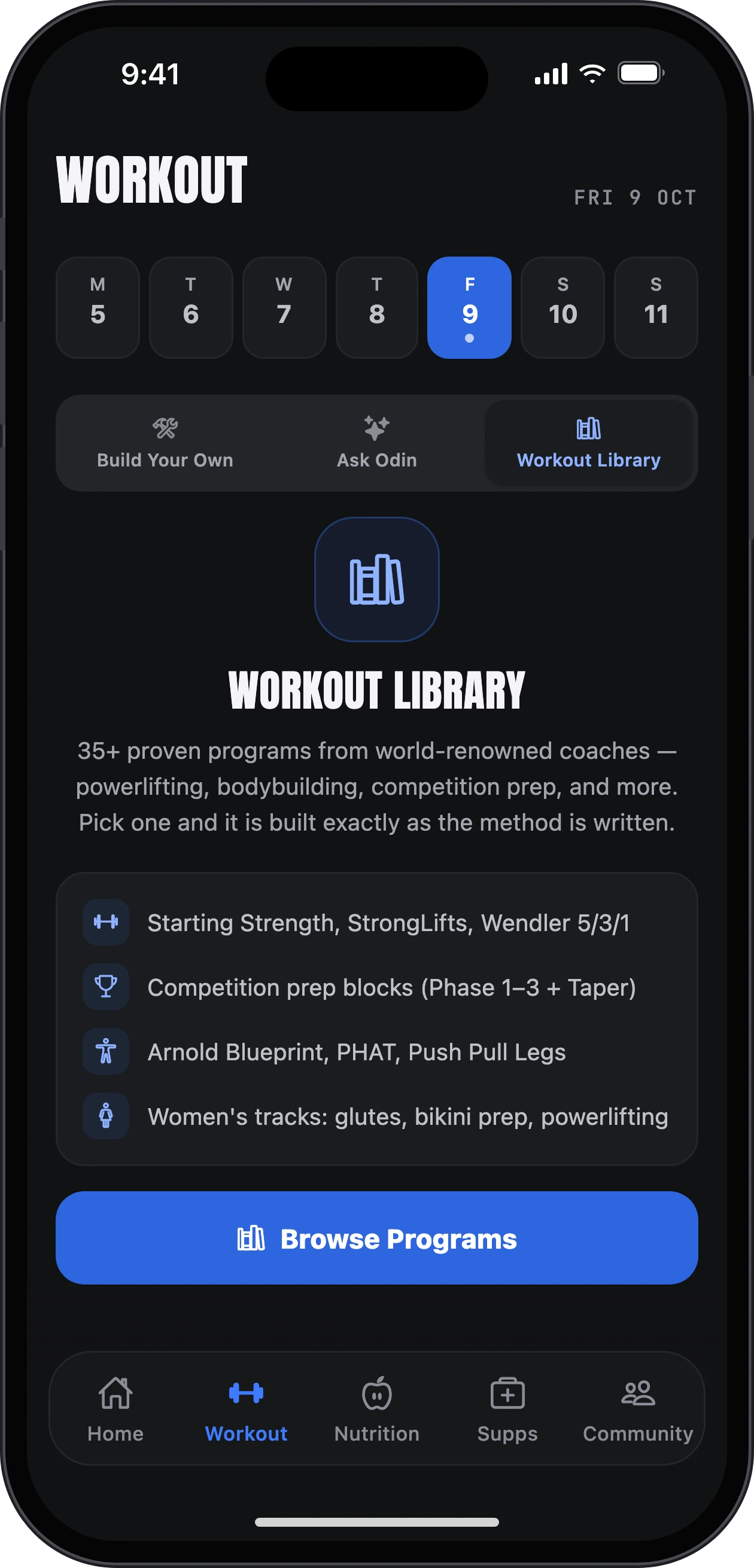
Workout Library
Training
Your session,
ready when you are.
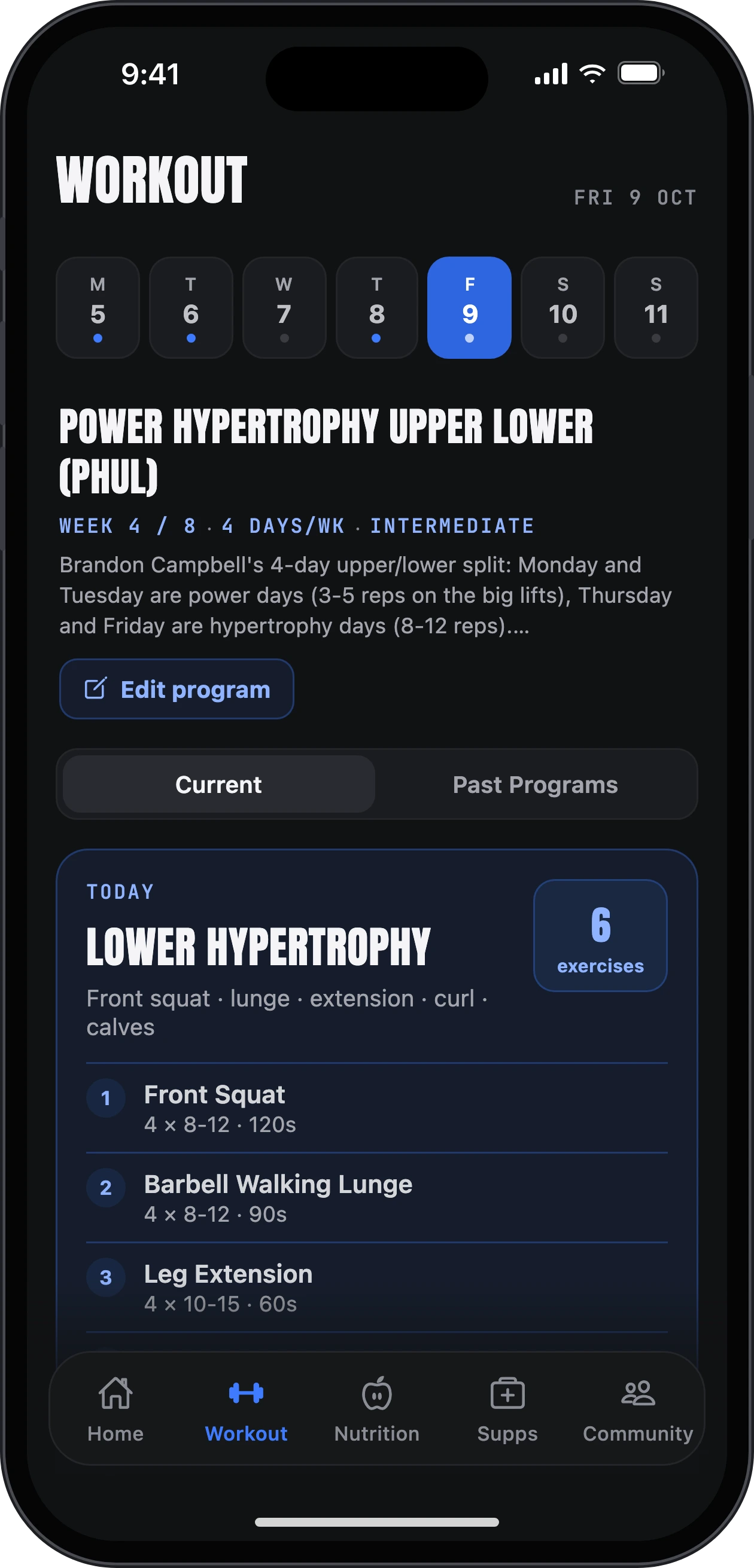
Your program lays out the week. Today's session is on the Workout tab, every exercise with a demo.
- Log weight and reps in a tap. A note tells you what to try today to beat last time.
- Tick a set and the rest timer starts, with −15 s, +15 s and skip.
- Beat a best and you see it: a PB moment and a trophy on the set.
- Cardio counts too. Log a run, ride or row instead.


Nutrition
Hit your numbers.
Skip the spreadsheet.
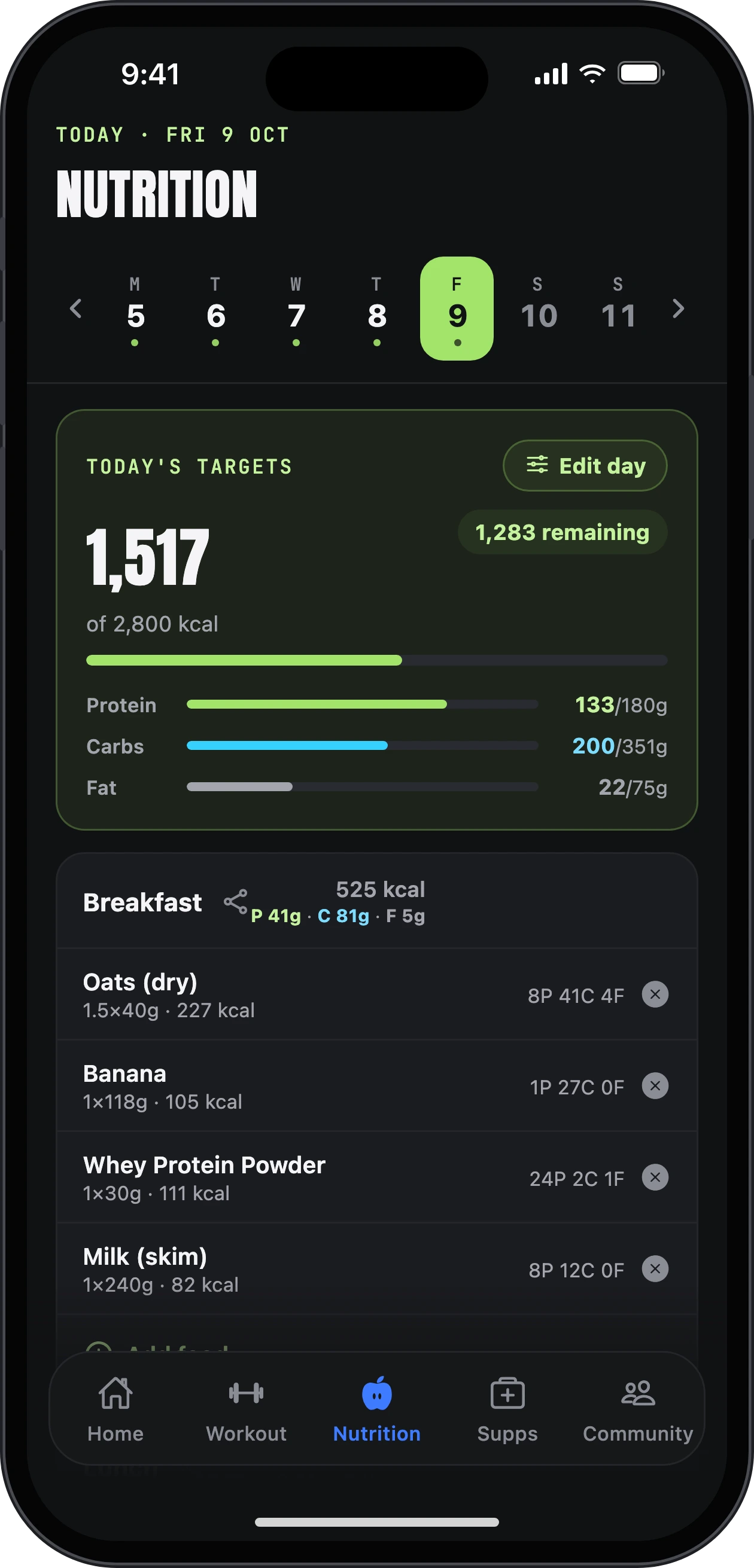
Calories and macros for every day, and a food log that is quick enough to keep up with.
- Search foods or scan a barcode.
- Set a weekly calorie target, move calories between days, and lock the days you want to keep.
- Protein, carbs and fat for each day, training days and rest days.
- Build your own meal plan, or ask Odin for one. Shopping list included.

Meal plans
Plan the week.
Then eat to it.
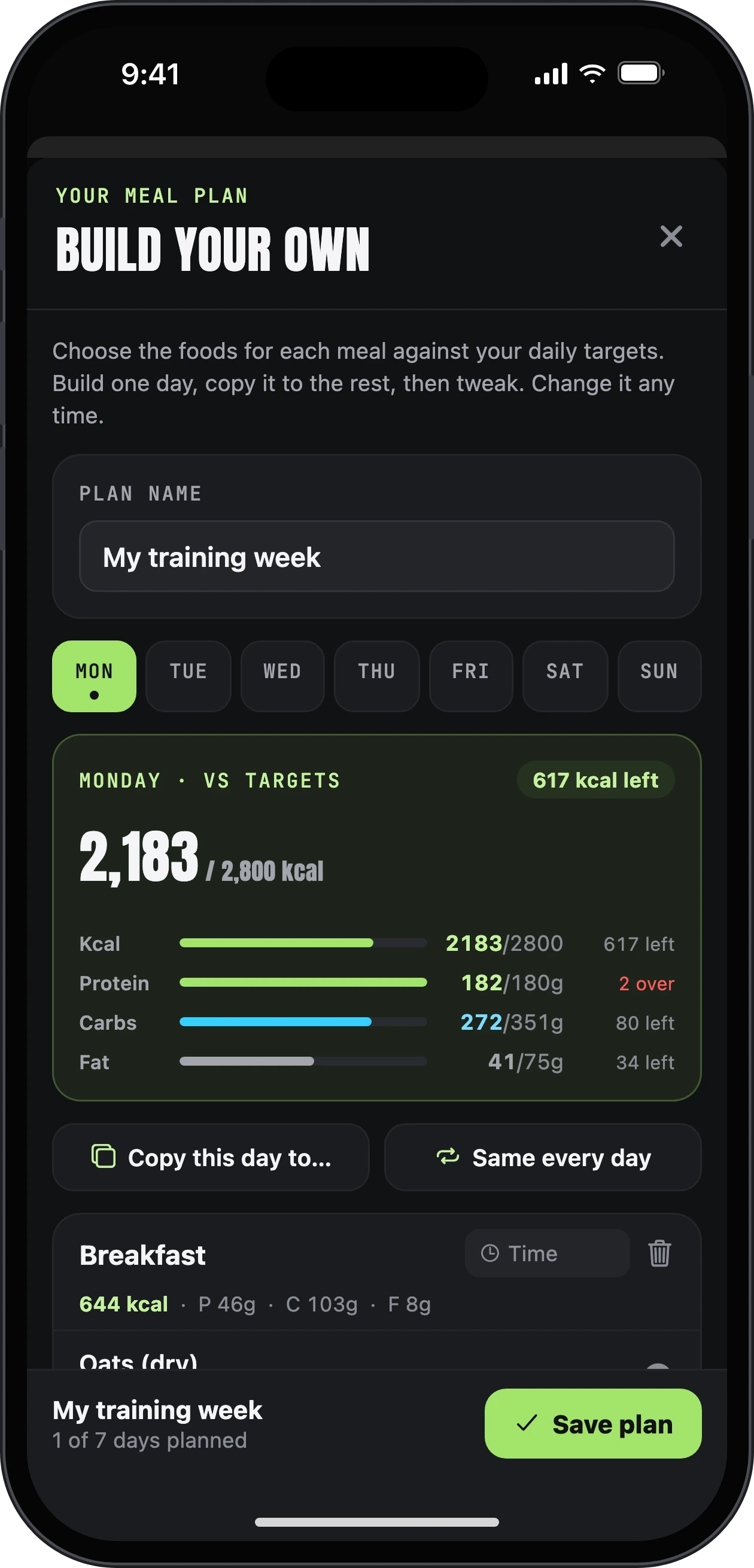
Build your own meal plan against your daily targets, or ask Odin to write one for you.
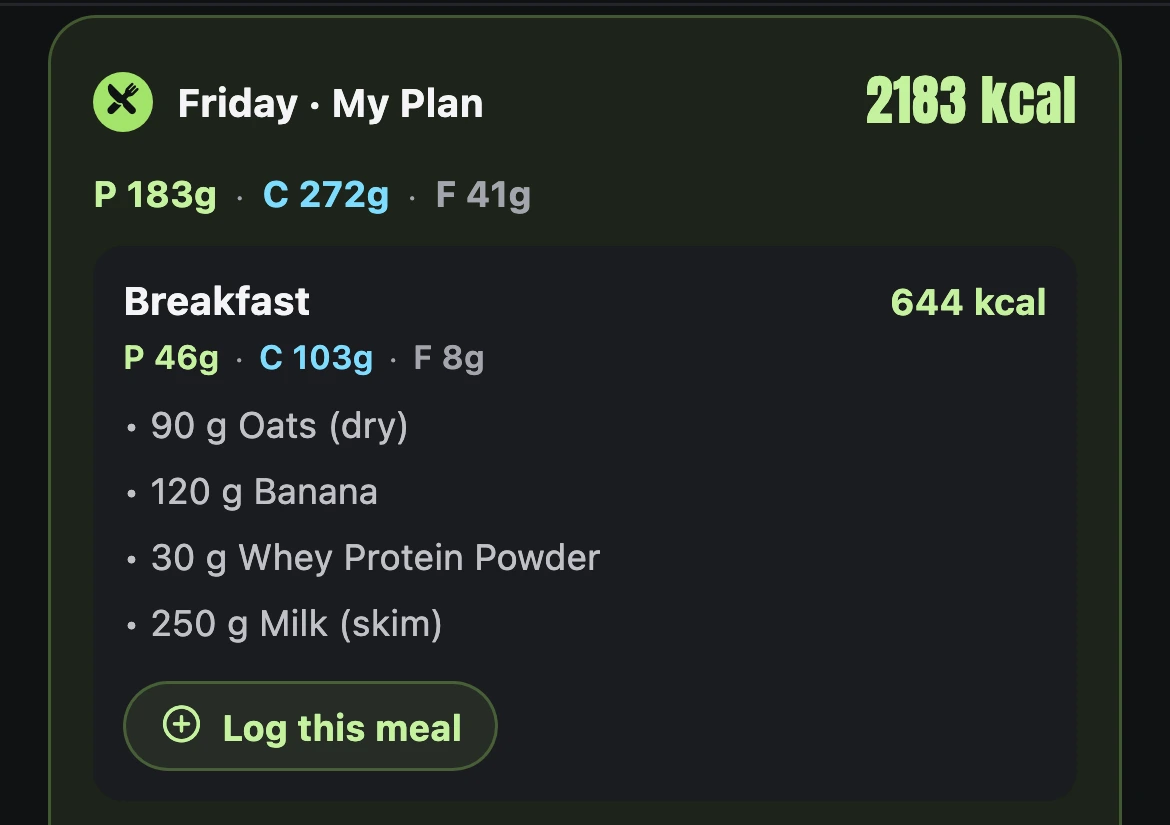
- Pick the foods for each meal and set the grams. The day adds up against your calories and macros as you go.
- Build one day, then copy it to the others, or make every day the same.
- Today’s plan sits on Nutrition. Tap “Log this meal” and it is in your food log.
- A shopping list for the week, made from your plan.
Supplements & peptides
Your stack,
on a schedule.
Morning, with meals, after training, before bed. Tick each one off as you take it.
- A daily and weekly view of everything you take.
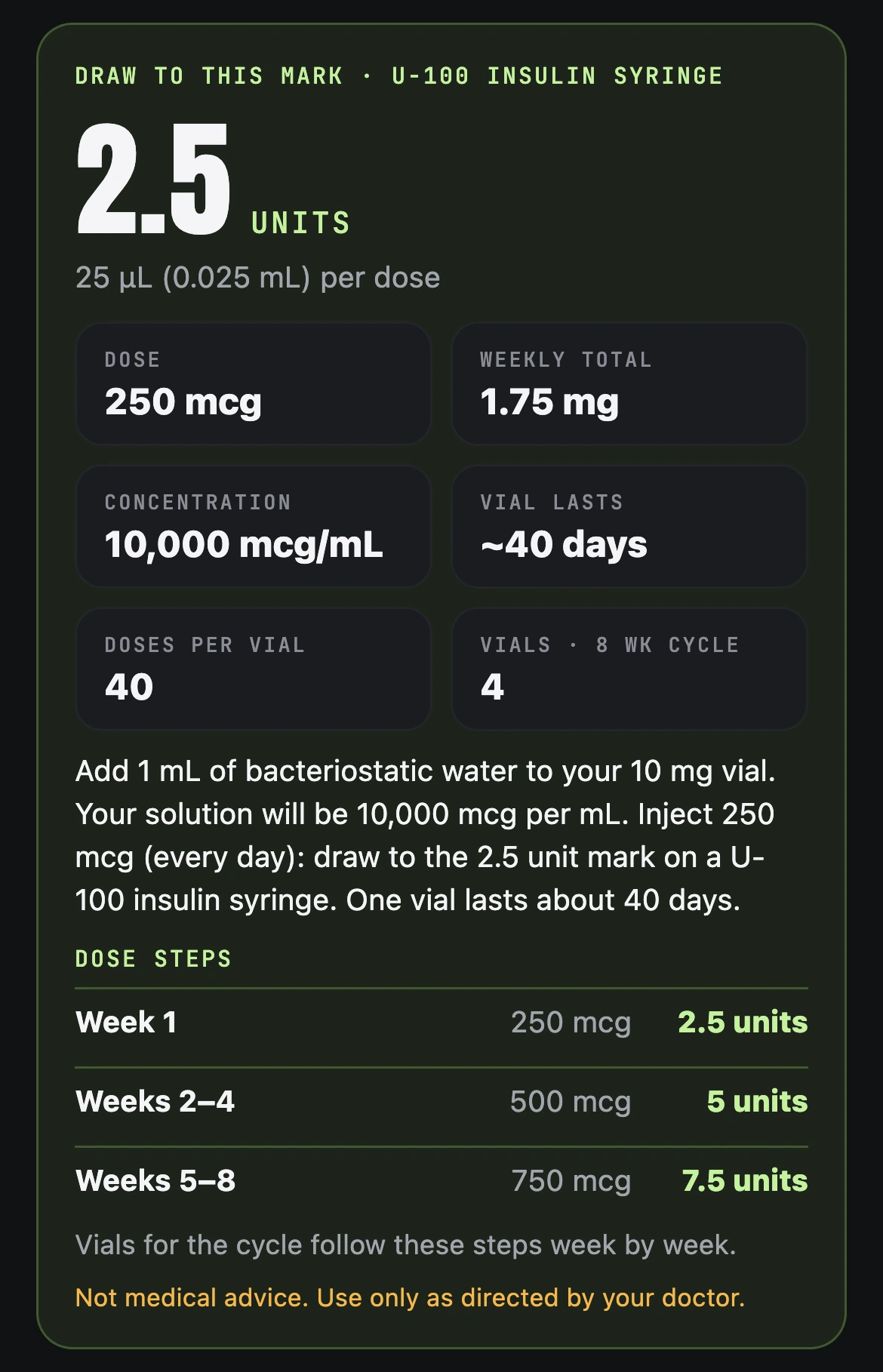
- A peptide calculator: where to draw on the syringe, how long a vial lasts, and dose steps week by week.
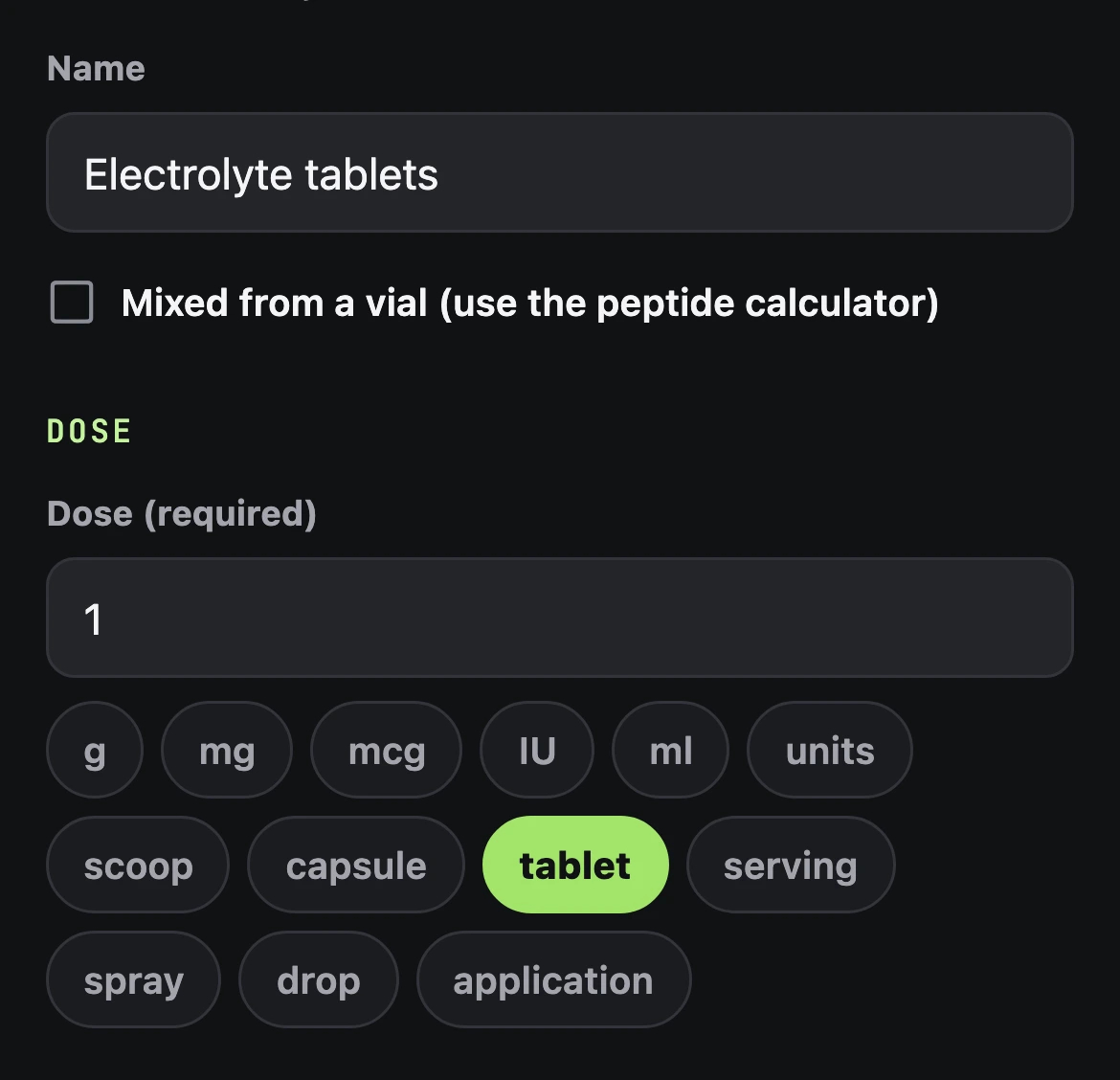
- Not in the list? Create your own supplement: its name, your dose and when you take it.
Not medical advice. Use only as directed by your doctor.
Try it free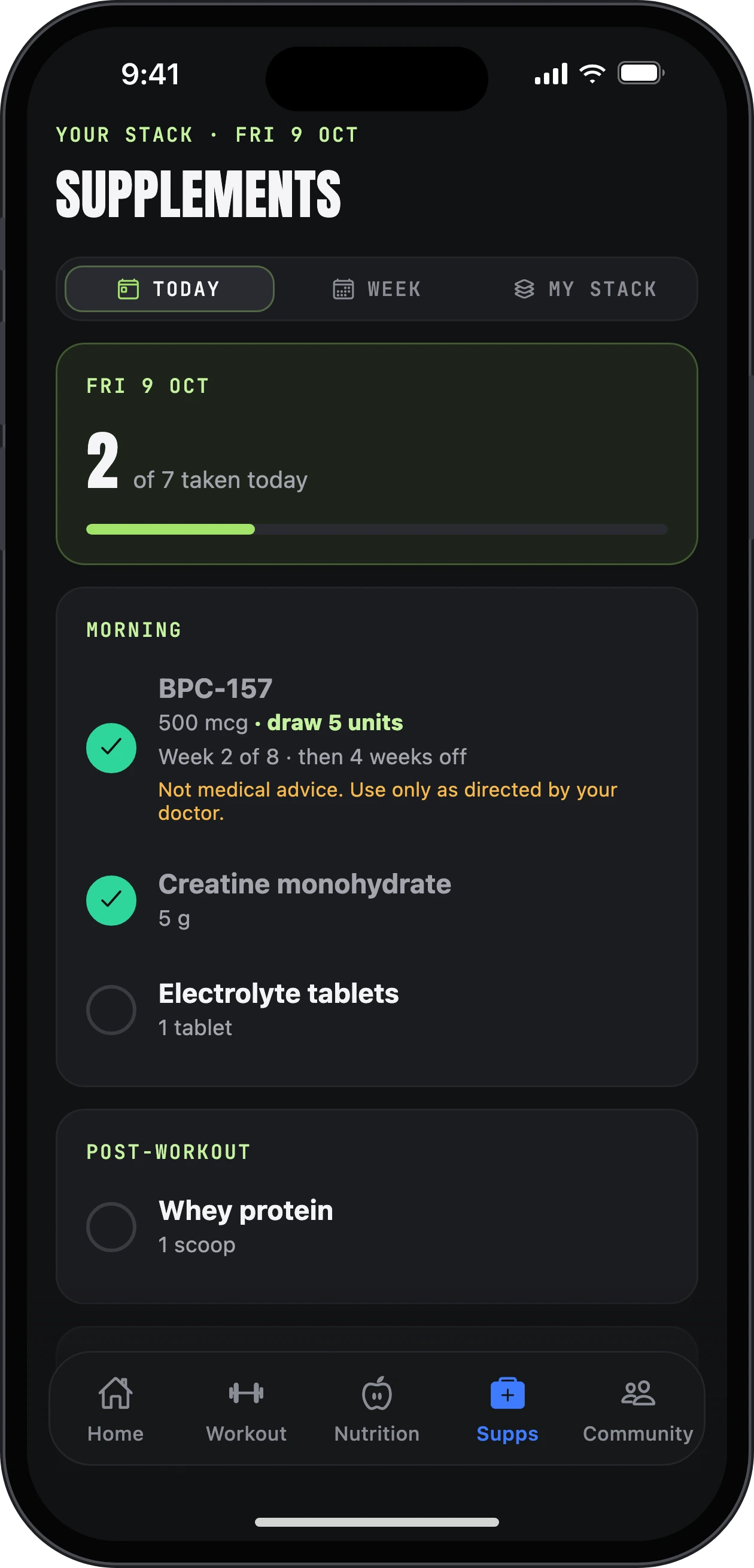
Odin, your AI coach
A coach in your pocket,
on every screen.
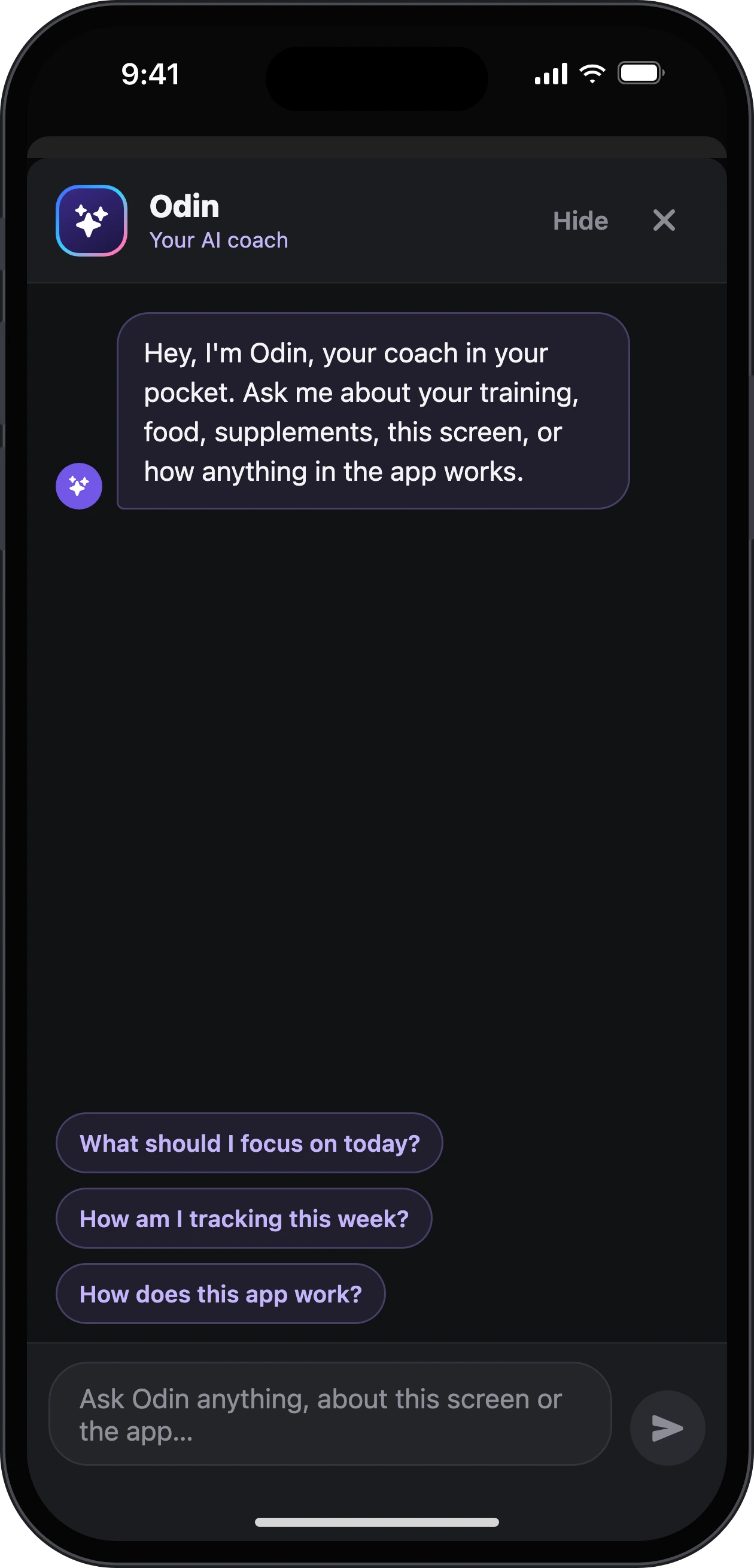
Tap Odin anywhere in the app and ask: your training, your food, your supplements, or how the screen in front of you works.
- He builds your program and your meal plan, and changes them when you ask.
- Quick questions to start: “What should I focus on today?”, “How am I tracking this week?”
- Rather not? Hide him in Settings.
Progress & check-ins
See it working,
week by week.
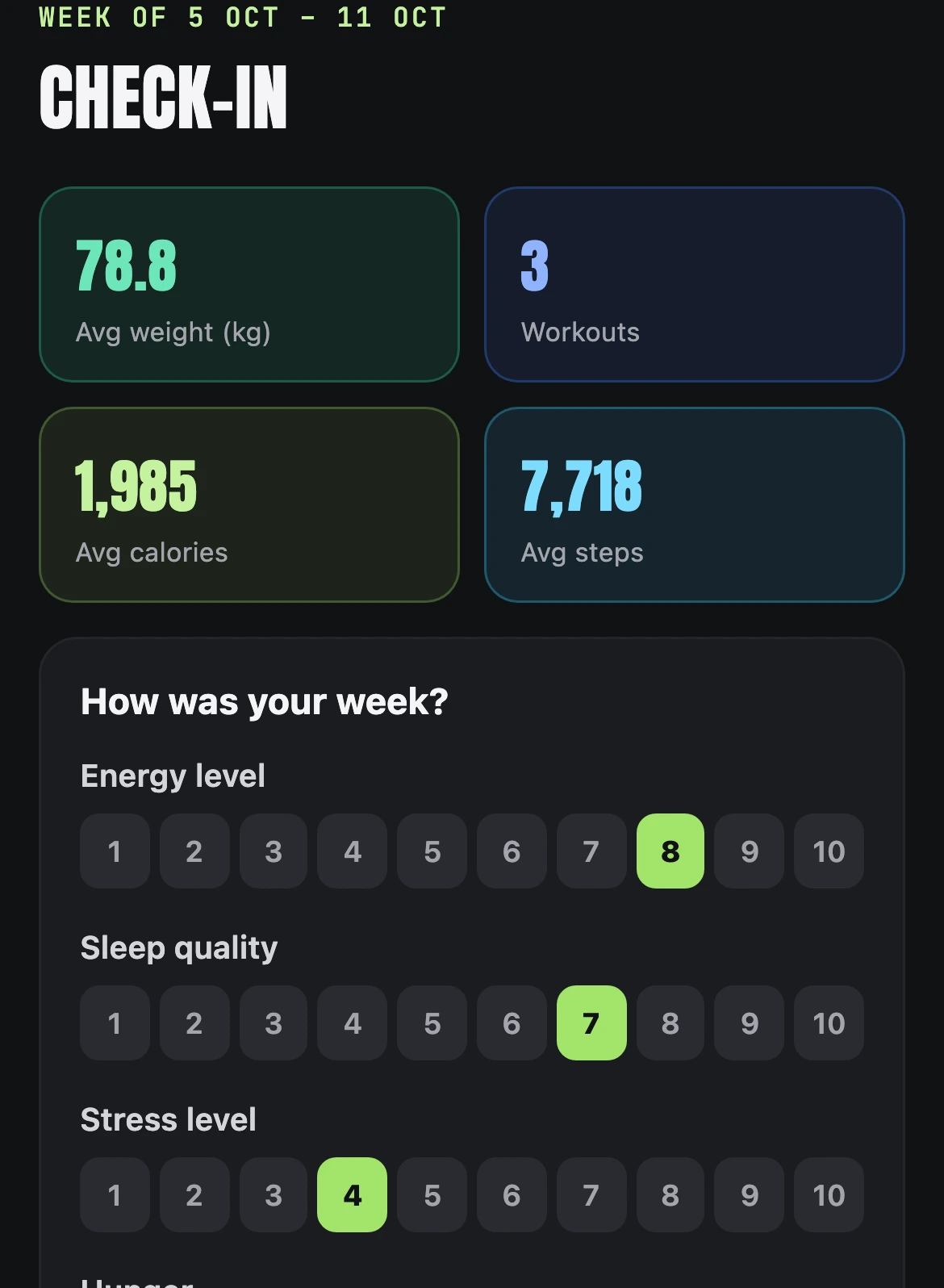
Small daily habits, and a weekly look back that fills itself in.
- Daily habits on Home: water, sleep, mobility and your own.
- Steps and a streak to keep going.
- A weight trend that smooths out the day-to-day noise.
- A weekly check-in with your numbers already in, and progress photos to compare.

Community & Classroom
You are not
doing this alone.
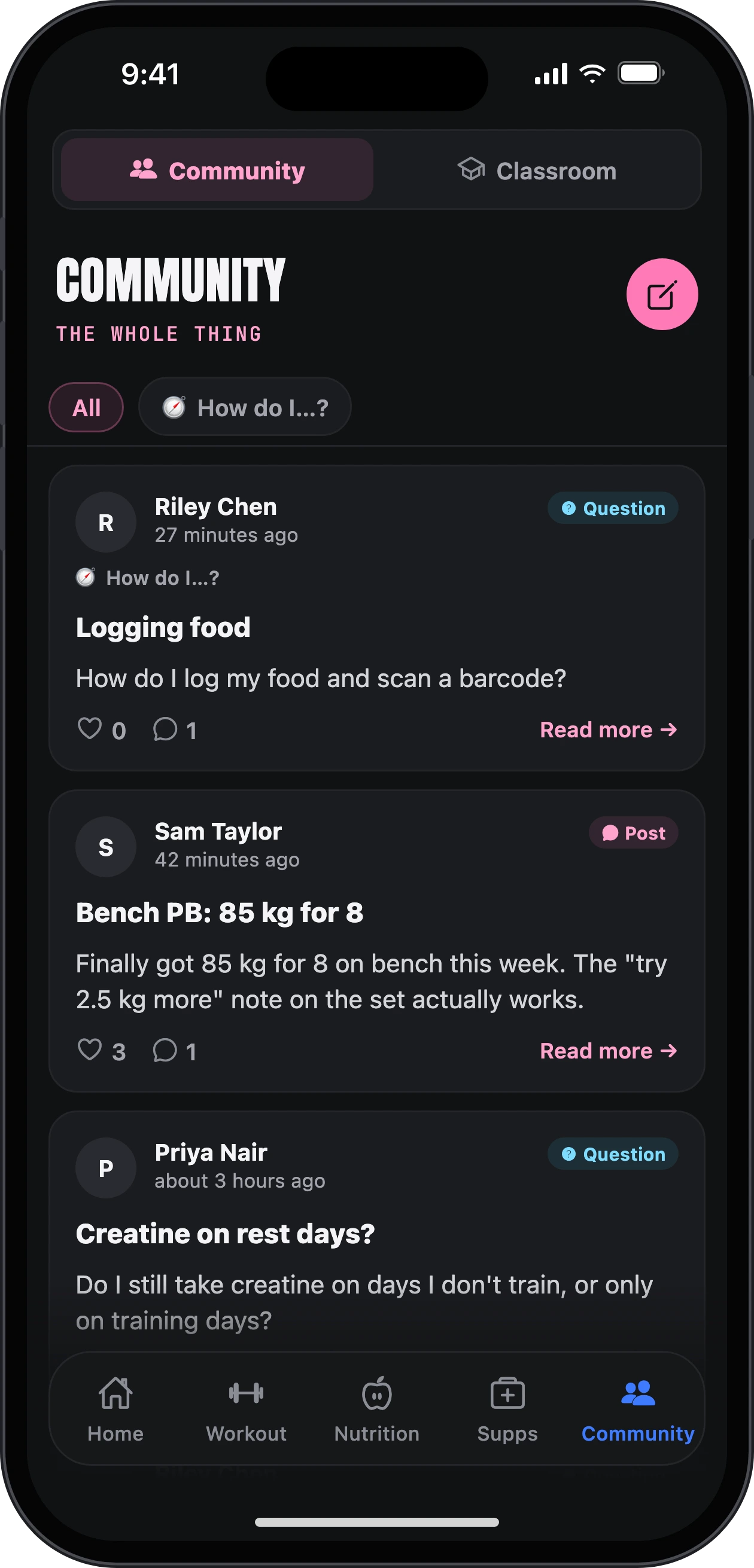
Post your wins and your questions, and see how everyone else is going.
- A community feed with categories: Wins, Questions, How do I…?, Nutrition, Training and more.
- The Classroom: short how-to guides for every part of the app.
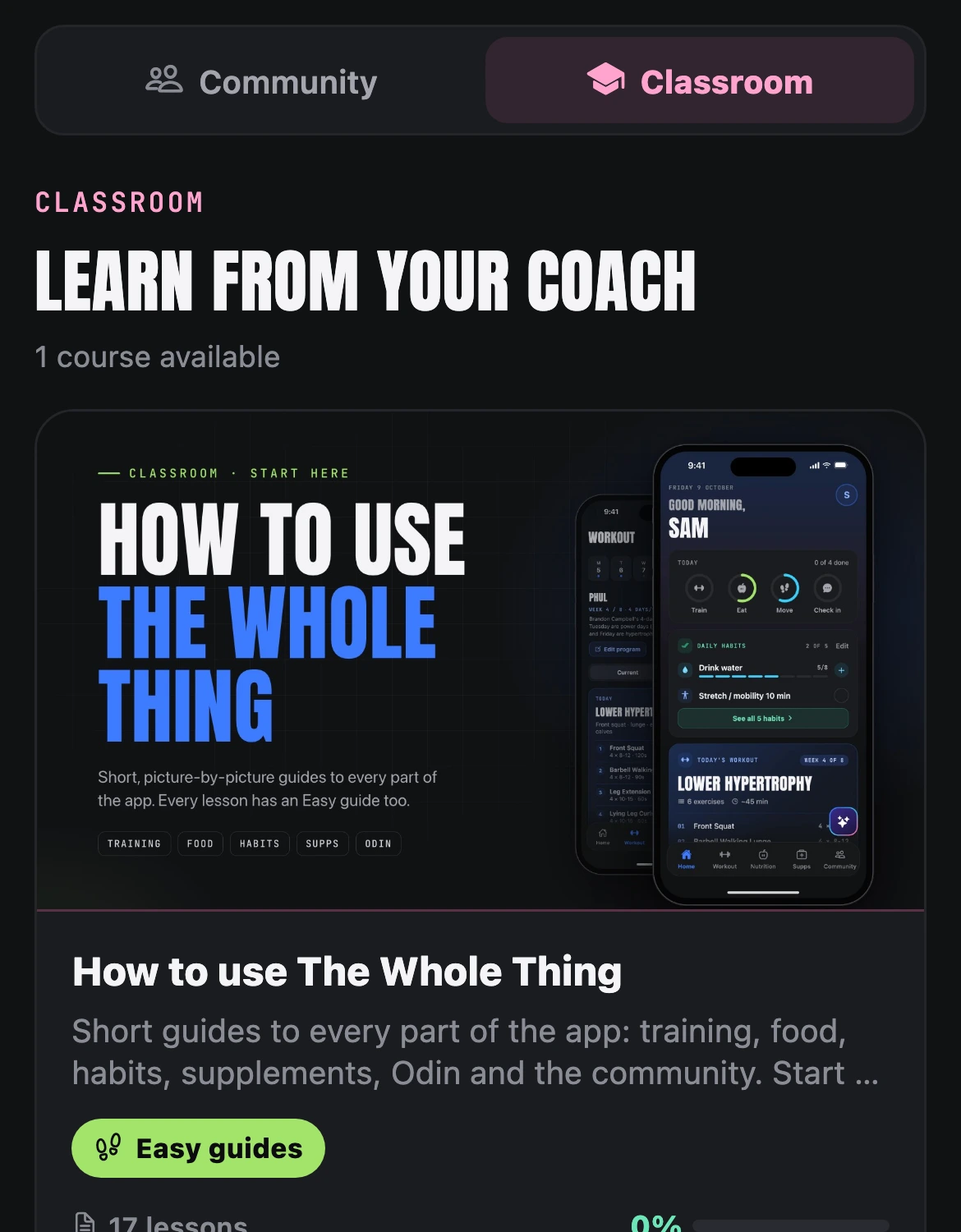
Learn the app as you go
Easy for everyone.
One step at a time.
Never stuck for long. Every part of the app has a guide, and help is one tap away on every screen.
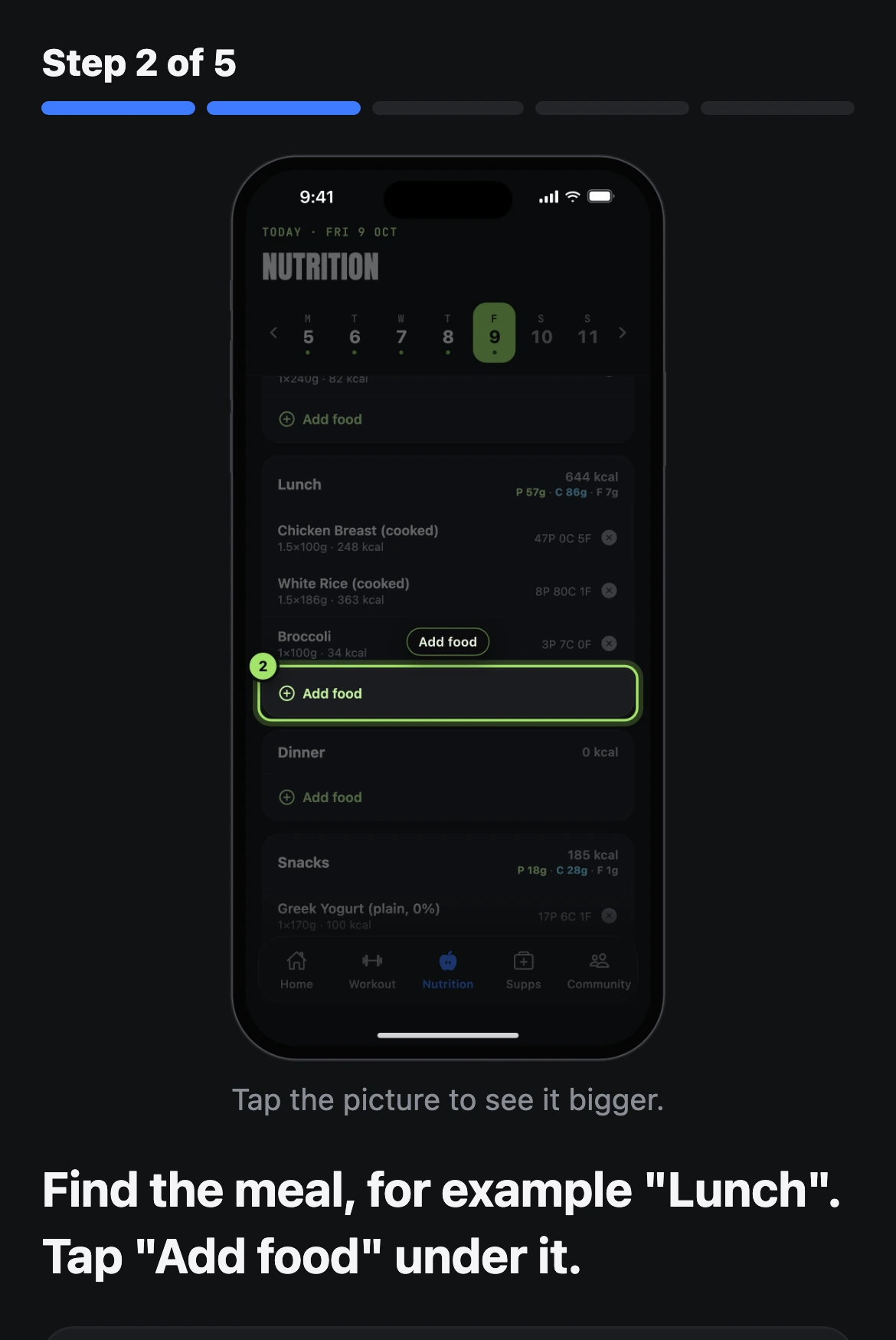
- Easy guides. Every Classroom lesson comes as an Easy guide too: one step at a time, with a picture for every step, the button to tap circled, and big Back and Next buttons.
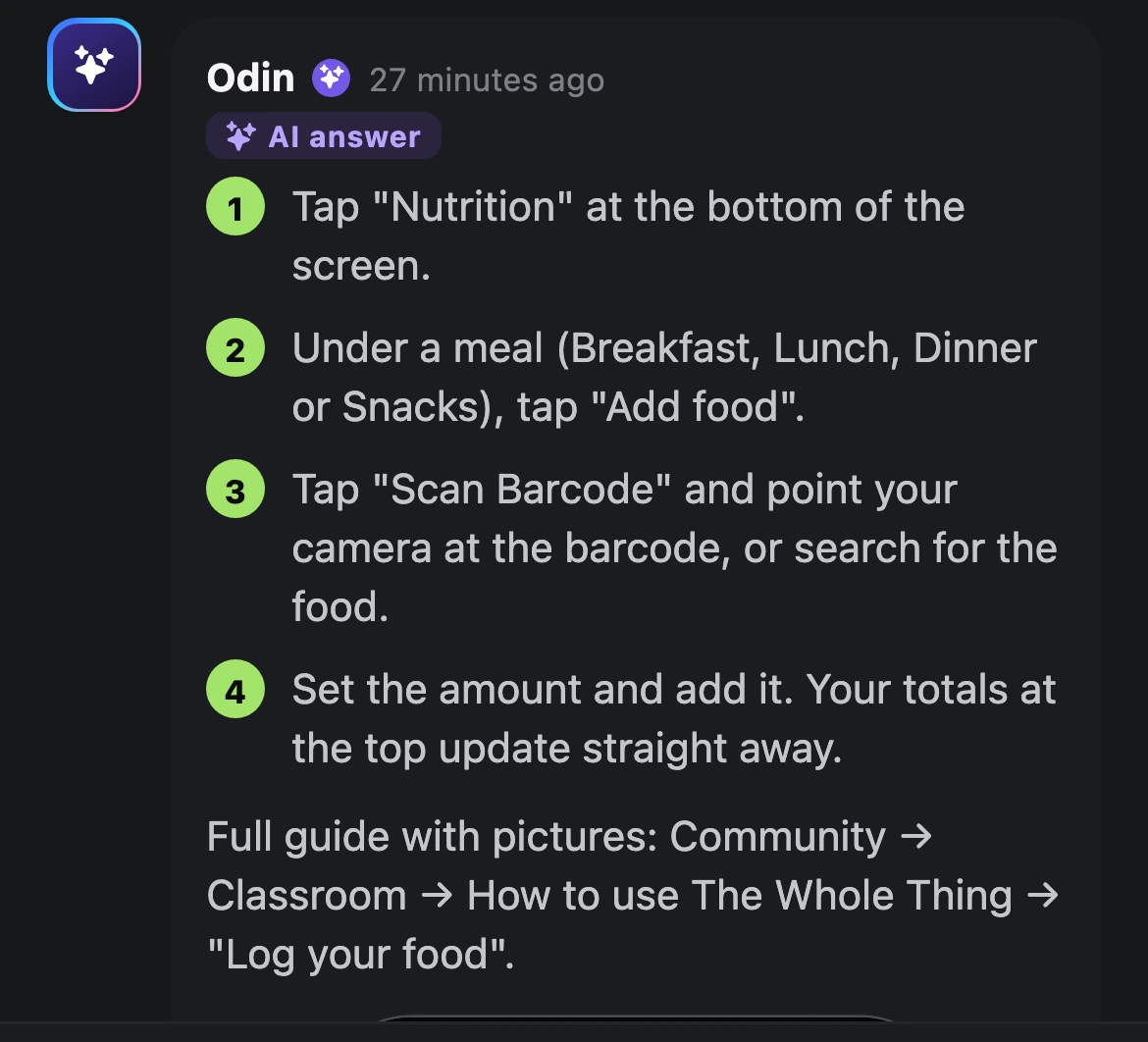
- Ask “How do I…?” Post in the community’s How do I…? category and a step-by-step answer from the guides appears within about a minute, with pictures and a link to the lesson. Questions about injuries, doses or bugs go to Jarrod personally instead.
- Odin on every screen. Ask him what the screen in front of you does, or how to do something.
Everything in one app
One app,
not five.
A workout log, a food tracker, a habit app, supplement reminders and a group chat. Here they are in one place, sharing what they know about you.
Training
- Your program and today’s session
- Build your own program, or get one from Odin or the library
- Exercise demos
- Rest timer
- PB moments
- Cardio
Nutrition
- Food log with search and barcode
- Weekly calories, per-day macros, locks
- Build your own meal plan, or ask Odin for one
- A shopping list from your plan
Supplements
- Daily schedule
- Peptide dose calculator
- Create your own supplement
Progress
- Daily habits
- Steps and streak
- Weight trend
- Weekly check-ins
- Progress photos
Community
- A feed with categories
- “How do I…?” answered from the guides
- Classroom with Easy guides, one step at a time
Odin
- An AI coach you can ask anything, on any page
- Builds and changes your program and meal plan
Compare
The whole thing.
Everything included.
Most apps do one part well. Here is what it takes to get every part, side by side: for members (MyFitnessPal, MacroFactor, Hevy and more) and for coaches (Trainerize, Kahunas, Skool, TrueCoach and more).

The Whole Thing
12 of 12 included
Free during the beta
then A$39.99/mo
Everything included, in one app
- Workout log with a rest timer
- Build a program, or pick one from a library
- A program built for you automatically
- Food log with a barcode scanner
- Calories and macros, set day by day
- Meal plans with a shopping list
- Supplement schedule and dose calculator
- Daily habits and steps
- Weight trend and progress photos
- Weekly check-in
- Community inside the app
- An AI coach you can chat with
Others · price a month
MyFitnessPal
Nutrition
A$29.99
Premium, monthly
5 of 12 included · 5 in part
See the list
- Workout log with a rest timerPartial
- Build a program, or pick one from a libraryIncluded
- A program built for you automaticallyNot included
- Food log with a barcode scannerIncluded
- Calories and macros, set day by dayIncluded
- Meal plans with a shopping listPartial
- Supplement schedule and dose calculatorNot included
- Daily habits and stepsPartial
- Weight trend and progress photosIncluded
- Weekly check-inPartial
- Community inside the appPartial
- An AI coach you can chat withIncluded
MacroFactor
Nutrition
A$14.49
Monthly
4 of 12 included · 4 in part
See the list
- Workout log with a rest timerPartial
- Build a program, or pick one from a libraryPartial
- A program built for you automaticallyPartial
- Food log with a barcode scannerIncluded
- Calories and macros, set day by dayIncluded
- Meal plans with a shopping listNot included
- Supplement schedule and dose calculatorNot included
- Daily habits and stepsPartial
- Weight trend and progress photosIncluded
- Weekly check-inIncluded
- Community inside the appNot included
- An AI coach you can chat withNot included
Hevy
Workout log
A$4.99
Pro, monthly
5 of 12 included · 1 in part
See the list
- Workout log with a rest timerIncluded
- Build a program, or pick one from a libraryIncluded
- A program built for you automaticallyIncluded
- Food log with a barcode scannerNot included
- Calories and macros, set day by dayNot included
- Meal plans with a shopping listNot included
- Supplement schedule and dose calculatorNot included
- Daily habits and stepsNot included
- Weight trend and progress photosIncluded
- Weekly check-inNot included
- Community inside the appIncluded
- An AI coach you can chat withPartial
Strong
Workout log
A$7.49
PRO, monthly
1 of 12 included · 2 in part
See the list
- Workout log with a rest timerIncluded
- Build a program, or pick one from a libraryPartial
- A program built for you automaticallyNot included
- Food log with a barcode scannerNot included
- Calories and macros, set day by dayNot included
- Meal plans with a shopping listNot included
- Supplement schedule and dose calculatorNot included
- Daily habits and stepsNot included
- Weight trend and progress photosPartial
- Weekly check-inNot included
- Community inside the appNot included
- An AI coach you can chat withNot included
Fitbod
AI workouts
A$19.99
Monthly
2 of 12 included · 3 in part
See the list
- Workout log with a rest timerIncluded
- Build a program, or pick one from a libraryPartial
- A program built for you automaticallyIncluded
- Food log with a barcode scannerNot included
- Calories and macros, set day by dayNot included
- Meal plans with a shopping listNot included
- Supplement schedule and dose calculatorNot included
- Daily habits and stepsNot included
- Weight trend and progress photosPartial
- Weekly check-inNot included
- Community inside the appPartial
- An AI coach you can chat withNot included
To get everything we include, you’d need
- MyFitnessPal Premium, monthlyA$29.99/mo
- Hevy Pro, monthlyA$4.99/mo
- MacroFactor MonthlyA$14.49/mo
- TogetherA$49.47/mo
And still no meal plans with a shopping list, supplement schedule or daily habits.
Monthly plans. Most of these apps cost less a month if you pay for a year up front.
The Whole Thing
Free
during the beta, then A$39.99/mo. Everything included.
The Whole Thing
14 of 14 included
Free during the beta
then A$90/mo
Unlimited clients · everything included
- Client profiles and roster
- Program builder, assign in one step
- AI writes the program
- Client calories and macros, food log with barcode
- Meal plans for clients
- Weekly check-ins to review
- Messaging with clients
- Client habit tracking
- Client supplement schedules
- A community for your clients
- Courses and a classroom
- An AI assistant for the coach
- Health documents, summarised by AI
- Unlimited clients at this price
Others · price a month, up to 50 clients
Trainerize
Coaching
≈A$194
Pro 50, meal plans ≈A$65 extra
7 of 14 included · 3 in part
See the list
- Client profiles and rosterIncluded
- Program builder, assign in one stepIncluded
- AI writes the programPartial
- Client calories and macros, food log with barcodeIncluded
- Meal plans for clientsPartial
- Weekly check-ins to reviewIncluded
- Messaging with clientsIncluded
- Client habit trackingIncluded
- Client supplement schedulesNot included
- A community for your clientsIncluded
- Courses and a classroomNot included
- An AI assistant for the coachPartial
- Health documents, summarised by AINot included
- Unlimited clients at this priceNot included
Kahunas
Coaching
≈A$99
Growth
8 of 14 included · 3 in part
See the list
- Client profiles and rosterIncluded
- Program builder, assign in one stepIncluded
- AI writes the programNot included
- Client calories and macros, food log with barcodeIncluded
- Meal plans for clientsIncluded
- Weekly check-ins to reviewIncluded
- Messaging with clientsIncluded
- Client habit trackingIncluded
- Client supplement schedulesIncluded
- A community for your clientsPartial
- Courses and a classroomPartial
- An AI assistant for the coachPartial
- Health documents, summarised by AINot included
- Unlimited clients at this priceNot included
TrueCoach
Coaching
≈A$237
Pro
4 of 14 included · 3 in part
See the list
- Client profiles and rosterIncluded
- Program builder, assign in one stepIncluded
- AI writes the programNot included
- Client calories and macros, food log with barcodePartial
- Meal plans for clientsNot included
- Weekly check-ins to reviewPartial
- Messaging with clientsIncluded
- Client habit trackingIncluded
- Client supplement schedulesNot included
- A community for your clientsPartial
- Courses and a classroomNot included
- An AI assistant for the coachNot included
- Health documents, summarised by AINot included
- Unlimited clients at this priceNot included
Everfit
Coaching
≈A$151
Pro
9 of 14 included · 3 in part
See the list
- Client profiles and rosterIncluded
- Program builder, assign in one stepIncluded
- AI writes the programPartial
- Client calories and macros, food log with barcodeIncluded
- Meal plans for clientsIncluded
- Weekly check-ins to reviewIncluded
- Messaging with clientsIncluded
- Client habit trackingIncluded
- Client supplement schedulesNot included
- A community for your clientsIncluded
- Courses and a classroomPartial
- An AI assistant for the coachIncluded
- Health documents, summarised by AIPartial
- Unlimited clients at this priceNot included
PT Distinction
Coaching
≈A$129
Master
9 of 14 included · 2 in part
See the list
- Client profiles and rosterIncluded
- Program builder, assign in one stepIncluded
- AI writes the programIncluded
- Client calories and macros, food log with barcodePartial
- Meal plans for clientsIncluded
- Weekly check-ins to reviewIncluded
- Messaging with clientsIncluded
- Client habit trackingIncluded
- Client supplement schedulesNot included
- A community for your clientsIncluded
- Courses and a classroomPartial
- An AI assistant for the coachIncluded
- Health documents, summarised by AINot included
- Unlimited clients at this priceNot included
Skool
Community
≈A$142
Pro, +2.9% + 30c a sale
4 of 14 included · 1 in part
See the list
- Client profiles and rosterPartial
- Program builder, assign in one stepNot included
- AI writes the programNot included
- Client calories and macros, food log with barcodeNot included
- Meal plans for clientsNot included
- Weekly check-ins to reviewNot included
- Messaging with clientsIncluded
- Client habit trackingNot included
- Client supplement schedulesNot included
- A community for your clientsIncluded
- Courses and a classroomIncluded
- An AI assistant for the coachNot included
- Health documents, summarised by AINot included
- Unlimited clients at this priceIncluded
To get everything we include, you’d need
- Trainerize Pro 50≈A$194/mo
- Trainerize Advanced Nutrition add-on≈A$65/mo
- Skool Pro≈A$142/mo
- Together≈A$401/mo
And still no AI-written programs, supplement schedules, an AI assistant for the coach, AI-read health documents or unlimited clients.
Each on its plan for up to 50 clients, billed monthly. Skool also takes 2.9% + 30c of each sale.
The Whole Thing
Free
during the beta, then A$90/mo. Everything included.
Prices and features from each company’s website on 9 October 2026, in AUD where listed, otherwise converted at US$1 = A$1.44 (Reserve Bank of Australia, 8 October 2026). Monthly plans unless stated. “Partial” means a limited version, a higher tier, a paid add-on or a separate app; a dash means we couldn’t find it on their website or app listing. Plans and prices change; check their sites for the latest.
Trademarks belong to their owners.
For coaches
Coach your clients
from one portal.
Your clients use the app. You get the coach portal on the website: everyone at a glance, a program builder, and their check-ins in one place.


- A client roster: weight, workouts this week, last active, check-ins waiting
- A program builder: sets, reps, weight or RPE, rest and supersets
- Assign a program to a client in one step
- Review weekly check-ins and reply
- Set each client’s calories and macros
- Your own community and classroom
Is it free?
Yes. The Whole Thing is free during the beta. There is no card to enter and nothing to cancel.
Does it work on iPhone and Android?
Yes. It runs in your phone’s browser, so there is nothing to download, and it isn’t in the App Store yet. On iPhone, open it in Safari, tap Share, then Add to Home Screen. On Android, open it in Chrome and choose Add to Home screen from the menu. It then opens from your home screen like any other app.
Do I need a coach?
No. Odin and the Workout Library get you a program on day one, and every tracker works on its own. During the beta, everyone who joins is linked to Jarrod as their coach and shares one community.
What is Odin?
Odin is the AI coach built into the app. Tap him on any screen to ask about your training, food, supplements, or how something works. He can build your program and meal plan and change them when you ask. He is an AI, so anything medical belongs with your doctor.
How do I learn to use it?
However suits you. Every lesson in the Classroom has an Easy guide: one step at a time, with a picture for every step. Post a “How do I…?” question in the community and a step-by-step answer from the guides appears within about a minute (questions about injuries, doses or bugs go to Jarrod personally). And Odin is on every screen if you would rather just ask.
Is my data private?
Your logs can be seen by you and the coach you are linked with, and no one else; posts you make in the community are seen by its members. Your data is encrypted in transit and at rest, and it is never sold or used for advertising. The details are in the privacy policy.
I’m a coach. Can I bring my clients?
Yes. Sign up as a coach on this website to get the coach portal, then share your invite link with your clients.
Free during the beta
Start today.
It’s free.
Two minutes to set up. Your first session could be today.
iPhone & Android, in your browser No card